
What players say
Symbol Alignment Puzzle delivers a polished version of a classic concept. The adjustable grid sizes and computer difficulty levels provide a good range of challenge. The interface is distraction-free, which helps maintain focus on the game itself. While it does not introduce revolutionary features, it executes the core idea well. It is a reliable choice for anyone looking for a quick mental break or a longer strategic session.
About this game
Core Gameplay Loop
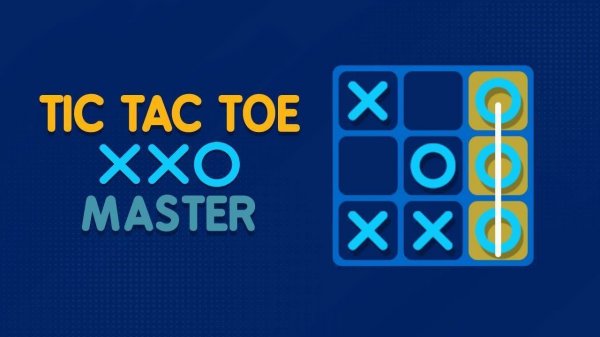
Two players alternate placing their chosen symbol on a square grid. The first to align three of their symbols in a straight line wins. This simple objective creates a dynamic where each move must consider both offense and defense. Players learn to block opponents while building their own potential lines. The game ends in a draw if the grid fills without a winner. This format promotes quick thinking and pattern recognition, making each match a fresh mental exercise.
Grid Variations and Strategic Depth
While the standard 3x3 grid offers rapid matches, larger boards from 5x5 to 8x8 introduce extended play. On bigger grids, players must manage more symbols and anticipate longer sequences. The increased space reduces the chance of an early win, requiring sustained focus and adaptive tactics. Controlling central positions becomes more important, as they offer multiple alignment opportunities. This scaling allows the game to remain challenging for experienced participants while still being accessible to newcomers.
Opponent Options and Difficulty Tiers
Players can compete against a computer opponent with selectable difficulty levels. Beginners may start with a weaker AI to learn basic patterns, while advanced users can face a more challenging algorithm. Alternatively, two people can play on the same device, taking turns on a shared screen. This local multiplayer mode is ideal for friendly competition without needing an internet connection. The interface remains clean and intuitive, letting players focus entirely on the match.
Visual Design and User Experience
The interface uses a clean, uncluttered layout with clear symbols and grid lines. Colors are chosen for high contrast, making it easy to distinguish between the two symbols. The game provides immediate visual feedback for each placement, and the board updates smoothly. Menus are minimal, allowing quick access to new games or settings adjustments. This design ensures that players of all ages and technical comfort levels can enjoy the experience without confusion.
Player comments
Sign in to comment
You must be logged in before posting a review or rating.
No account? Create one
No comments yet. Be the first to comment!