
What players say
Sky Canyon Navigator delivers a focused arcade experience that prioritizes precision and reflexes. The two-chapter structure provides a clear progression, with the second chapter offering a genuine challenge for those seeking more intensity. The parallax scrolling backgrounds add visual depth, while the retro sound effects evoke a classic arcade feel. Controls are responsive on both keyboard and touchscreen, making it accessible across devices. It is a solid choice for quick gaming sessions that require concentration and quick reactions.
About this game
Core Flight Mechanics
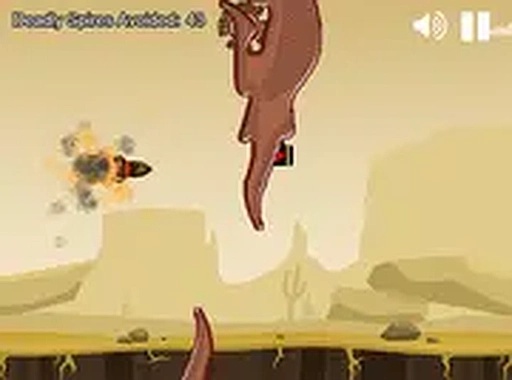
In Sky Canyon Navigator, players guide a nimble plane through winding canyon corridors. The aircraft responds to directional inputs, allowing for precise movements to avoid the surrounding rock formations. The game emphasizes maintaining forward momentum while reacting to the environment's twists and turns. Obstacles appear along the path, requiring quick adjustments to stay on course. The controls are designed to be intuitive, making it easy for newcomers to pick up while offering enough nuance for experienced players to refine their technique.
Chapter Structure and Difficulty
The game is divided into two distinct chapters, each presenting a unique set of challenges. The first chapter introduces the basic layout and obstacle patterns, allowing players to build familiarity with the controls and environment. The second chapter raises the stakes with tighter passages and more frequent hazards. This gradual increase in difficulty keeps the experience engaging without becoming overwhelming. Players can replay earlier sections to improve their performance before tackling the more demanding segments.
Visual and Audio Atmosphere
Sky Canyon Navigator uses parallax scrolling to create a sense of depth as the canyon walls and background elements move at different speeds. This effect enhances the feeling of speed and immersion during flight. The audio design draws inspiration from classic arcade machines, with retro-style sound effects that complement the visual presentation. Together, these elements create a cohesive atmosphere that feels both nostalgic and fresh.
Accessibility and Platform Support
This game runs entirely in a web browser, requiring no downloads or installations. It is compatible with both desktop computers and mobile devices. On desktop, players can use keyboard controls, while touchscreens support tap-and-drag navigation. A full-screen mode is available for those who prefer a more focused view. The game remains free to play, making it accessible to anyone with an internet connection.





Player comments
Sign in to comment
You must be logged in before posting a review or rating.
No account? Create one
No comments yet. Be the first to comment!